Speech and ink in step
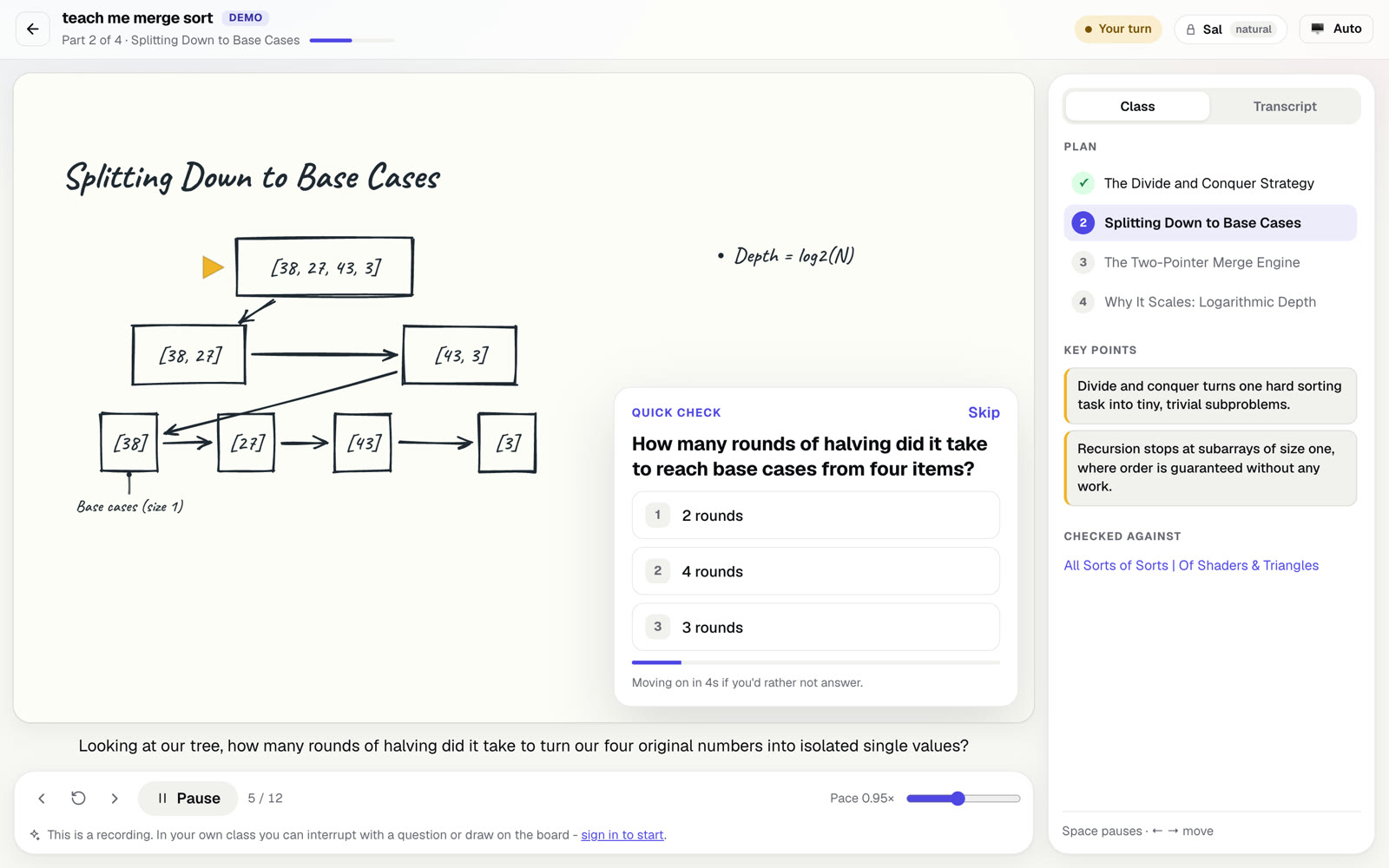
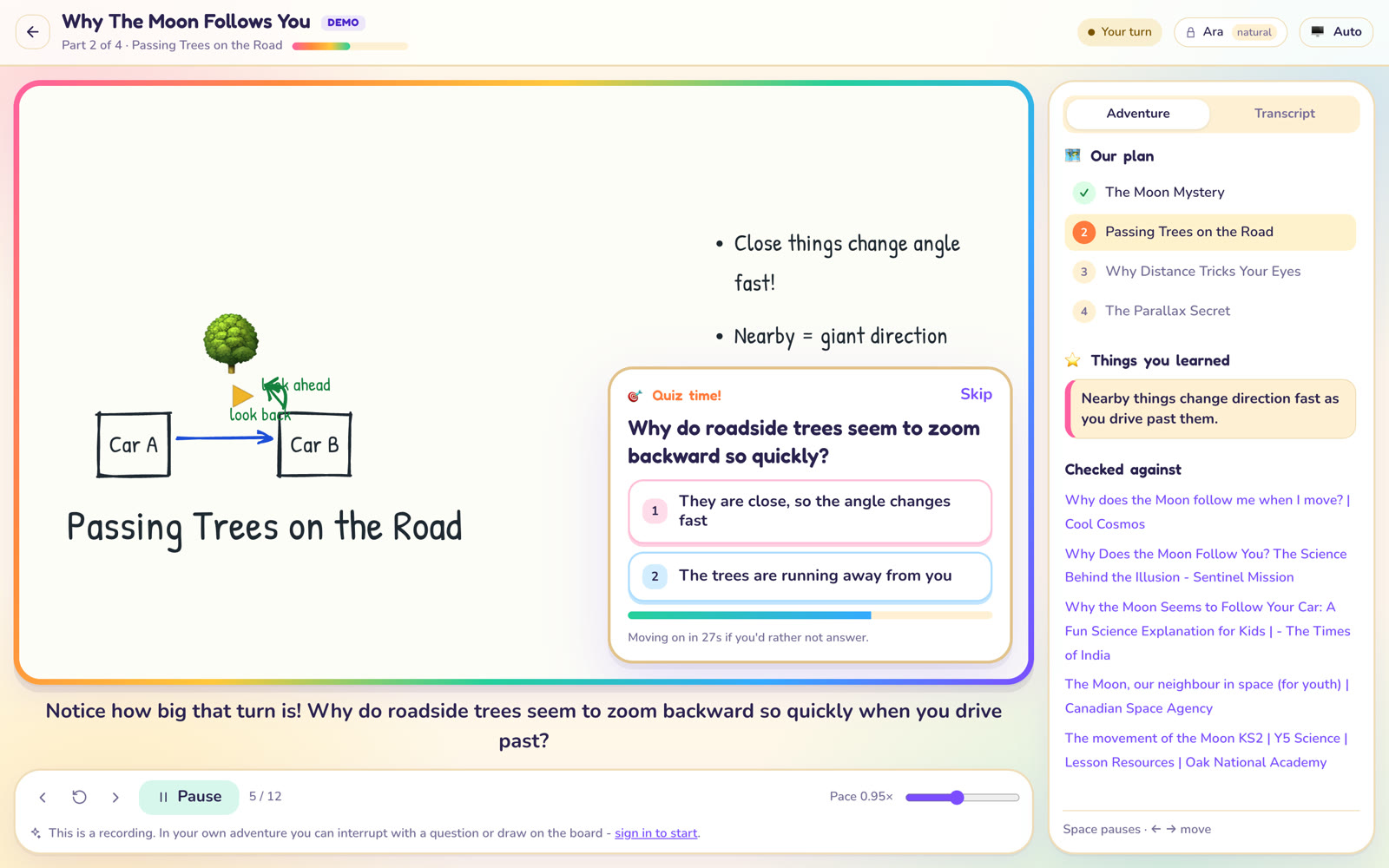
Each sentence lands on the board as it is spoken. Diagrams are built part by part, with labels, arrows, graphs and formulas.
A CrayonCity product
An AI tutor that teaches the way a person does: it talks, and while it talks it draws on a whiteboard. Type any topic and get a spoken, illustrated class in minutes.
Free to start, no card needed. Plans are $5, $9 or $19 a month and you can cancel whenever. See plans and pricing.
Launch film
What you get
Each sentence lands on the board as it is spoken. Diagrams are built part by part, with labels, arrows, graphs and formulas.
The tutor asks about you or your goal, names the class, then teaches it in a few short sections pitched at your level.
Put your hand up mid-sentence, by typing or speaking. The tutor answers on the board, then picks the class back up.
Short multiple-choice questions during the class, each with an explanation of why an answer is right or wrong.
A friendly mode for children, where classes are called adventures, and a precise mode for adults, with a choice of teaching styles.
Key points are saved, the sources the class was checked against are listed, and past classes can be replayed from your history.
See it
These are screenshots of recorded classes. You can play them yourself without an account.
How it works
Sign in with your Google account at board.crayoncity.dev. Every new account starts with free credits, enough for a class.
Type what you want to learn, briefly or in detail, and choose a teaching style, a voice and how long the class should be.
The class starts in your browser. Starting it uses credits from your plan; if it fails to start, they are given back.
Paid plans add more credits each month. Your plan switches on straight after payment.
Before you buy
$0
A small monthly allowance, enough to see whether it teaches the way you learn. No card needed.
$9 a month
For a class most days of the week. Renews monthly until you cancel.
$19 a month
For a household, a classroom or a very curious week. Renews monthly until you cancel.
Cancel any time. Refunds within 14 days of a payment, under our Refund Policy. Paid by card through Stripe.
Prices are in US dollars; tax is added at checkout where it applies. What each plan includes, and what a class costs in credits, is shown on the Crayon Board pricing page, which is where you subscribe. Crayon Board is software delivered online. Nothing is downloaded or shipped, and no human tutoring is included.